

Home > News > Industry News
At first glance, an LED display is an LED display. Both indoor and outdoor screens use the same core technology—modular panels, RGB diodes, and digital control systems. However, once you start working with real content—especially gradients, dark scenes, and color-critical visuals—the differences become obvious.
If you choose the wrong type of LED screen for your application, you won’t just lose visual impact—you will see banding, washed-out colors, and poor grayscale performance. This guide explains why that happens and how to avoid it.
Manufacturers design indoor and outdoor LED screens for completely different priorities.
This trade-off directly affects how each type handles gradients, low brightness, and subtle color transitions.
When users report that gradients look “blocky” or “stepped,” they usually encounter color banding. This issue appears most often on outdoor LED screens—and for good reason.
Outdoor screens rely heavily on PWM (Pulse Width Modulation) to control brightness. When you reduce brightness, the system shortens the time each LED stays on.
As a result:
In practical terms:
Lower brightness does not just dim the image—it reduces image precision.
This explains why an outdoor screen that looks fine at 100% brightness can fall apart at 20%.
Gradient quality depends heavily on bit depth:
Even if your LED hardware supports high grayscale, your system can still bottleneck at:
Outdoor setups often run simplified pipelines optimized for reliability, not precision. Consequently, they expose banding more easily—especially in dark content.
Outdoor LED displays typically operate in the 5000–8000 nits range. Engineers tune these systems for visibility, not subtle tonal transitions.
That optimization introduces a hidden cost:
When you display dark gradients (e.g., black to gray), the screen cannot resolve enough intermediate steps. The result: visible “steps” instead of smooth fades.
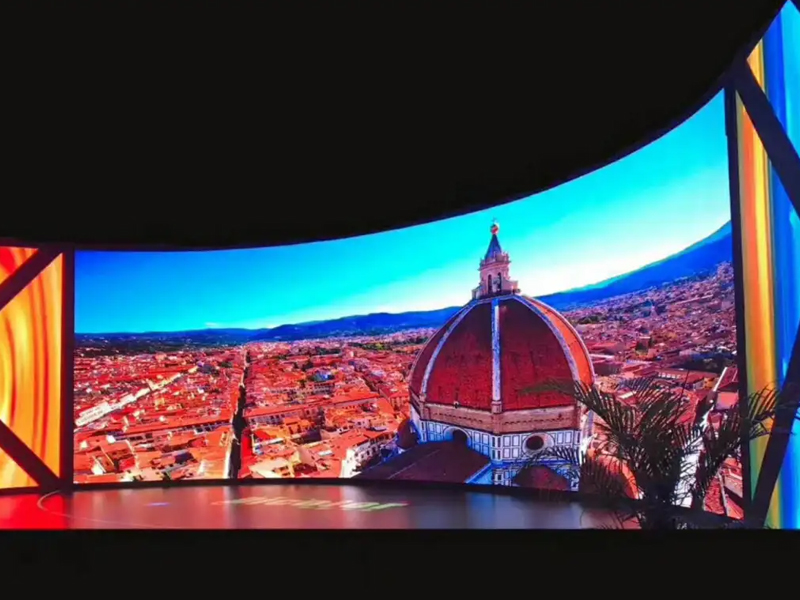
Indoor LED displays solve the exact problems that outdoor screens struggle with.
Indoor screens operate at much lower brightness levels (typically 800–1500 nits). This allows the driver IC and control system to preserve more usable grayscale levels, especially in dark scenes.
As a result:
Indoor applications—such as retail, broadcast, and corporate environments—often require better image fidelity. Therefore, they more frequently support:
These factors directly reduce banding and improve overall visual quality.
Indoor LED screens usually feature smaller pixel pitch (e.g., P1.2–P2.5). This increases:
Even when the signal has limitations, higher pixel density helps mask artifacts that would be obvious on larger-pitch outdoor screens.
Many users unintentionally create image problems by lowering brightness incorrectly.
Here’s what typically happens:
This happens because:
You compress the available grayscale range while still using hardware designed for high-brightness output.
Instead of aggressively lowering screen brightness:
This preserves more grayscale information and improves gradient performance.
Gradient issues often become worse when the system scales content.
For example:
The processor must interpolate missing data, which reduces gradient precision and introduces artifacts.
Always aim for pixel-to-pixel mapping:
| Factor | Indoor LED | Outdoor LED |
|---|---|---|
| Brightness | Moderate | Extremely high |
| Grayscale performance | Excellent | Limited at low brightness |
| Gradient quality | Smooth | Prone to banding |
| Bit depth usage | Often 10–12 bit | Often limited in practice |
| Pixel pitch | Fine | Coarser |
| Best use case | Close viewing, high-end visuals | Long-distance visibility |
Indoor and outdoor LED displays may look similar, but they behave very differently under real-world conditions.
If your content relies on gradients, subtle tones, or visual depth, the choice becomes critical:
Outdoor LED maximizes brightness. Indoor LED preserves image quality.
When you understand how brightness, bit depth, and grayscale interact, you can avoid common pitfalls—and deliver a display that looks as good in reality as it does in your design.
 EN
EN
 AR
AR
 BG
BG
 HR
HR
 CS
CS
 DA
DA
 NL
NL
 FI
FI
 FR
FR
 DE
DE
 EL
EL
 HI
HI
 IT
IT
 JA
JA
 KO
KO
 NO
NO
 PL
PL
 PT
PT
 RO
RO
 RU
RU
 ES
ES
 SV
SV
 TL
TL
 ID
ID
 SR
SR
 UK
UK
 VI
VI
 ET
ET
 HU
HU
 TH
TH
 TR
TR
 FA
FA
 AF
AF
 MS
MS
 GA
GA
 HY
HY
 AZ
AZ
 MN
MN
 UZ
UZ










